




ABAP code Profiling with Eclipse ADT gives a holistic view of execution with the overview. It also provides Hit List, Call-sequence, Call-timelines, and DB accesses information. In addition, analysing information provided by Profiling helps to understand Performance Bottlenecks. In other words, ABAP code Profiling is a very important tool to analyze performance of code. However, ABAP Code Profiling with Eclipse ADT works a little different than classical Transactions SE30 or SAT.
ABAP Profiling in Eclipse is equivalent to old SE30 or SAT transactions in SAP GUI. SAP decided to dedicate a separate perspective for ABAP Profiling. This Perspective can be opened using Menu > Window > Perspective > Open Perspective > Others > ABAP Profiling
As shown below, Profiling Setting can be accessed via Menu > Window > Preferences > ABAP Development > Profiling:
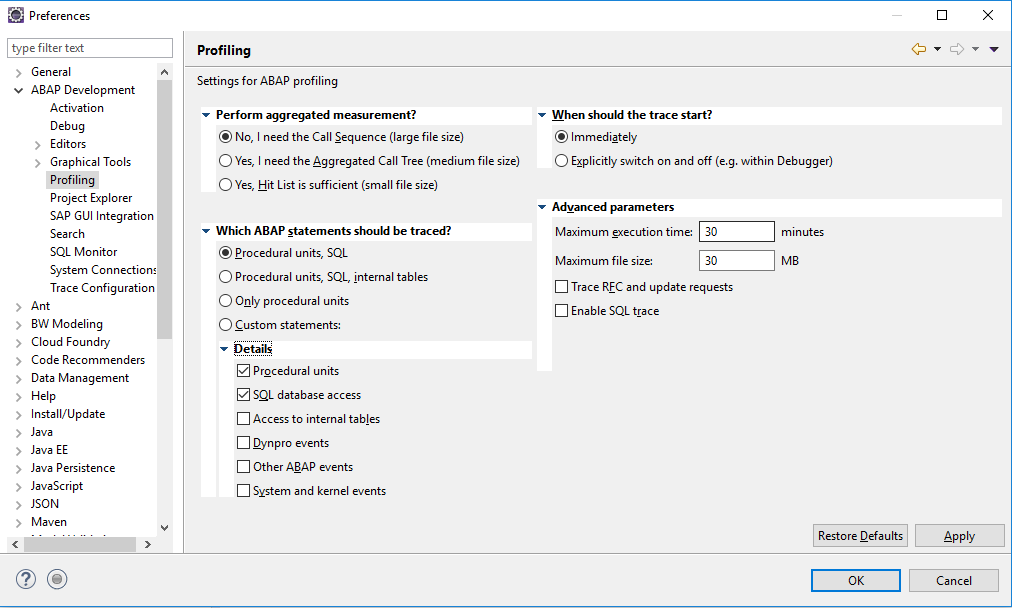
A Developer can set preference before doing ABAP Profiling.
After that, Let’s understand ABAP Profiling Step by Step:
Step 1:
Go to ABAP Perspective > Right click on Program > Profile As > ABAP Application (or Use Shortcut Ctrl + Shift + F9)
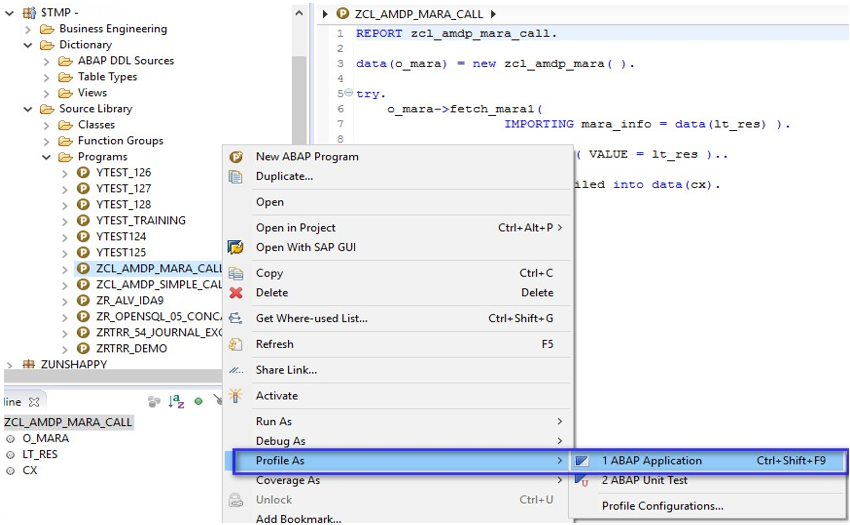
Step 2:
Go to ABAP Profiling Perspective: Go to ABAP Traces Tab > Refresh Project > Double click performed Trace entry > Analyse Trace with different Profiling tools
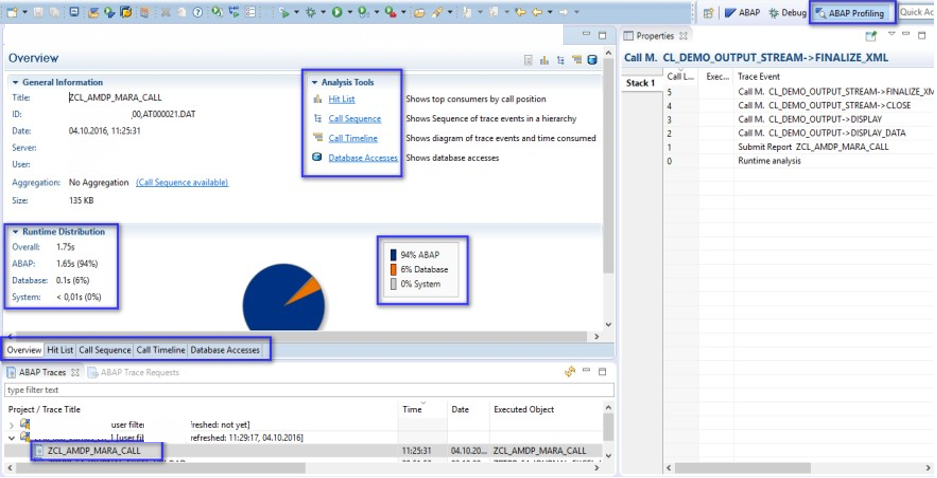
Step 3:
After that, Go to Hit List tab > Select Trace event > Double click > Stack can be reviewed in Properties view > Drill down possible for further information
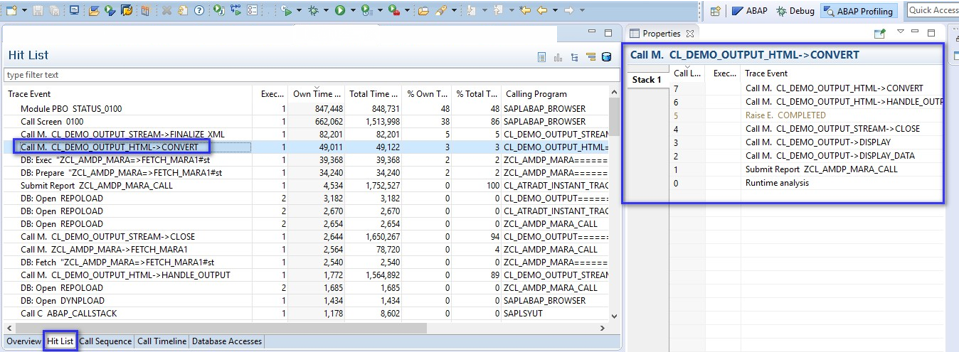
Step 4:
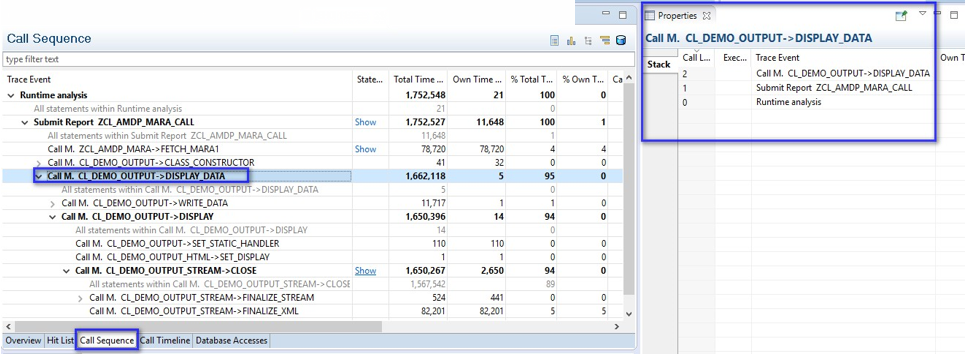
After that, Go to Call sequence tab > Select Trace event > Double click > Stack can be reviewed in Properties view
Step 5:
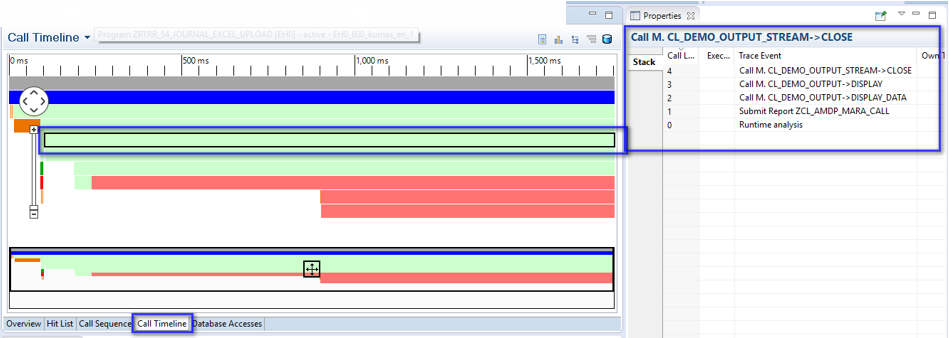
Similarly, Go to Call timeline tab > Select Required Timeline> Double click > Stack can be reviewed in Properties view
Step 6:
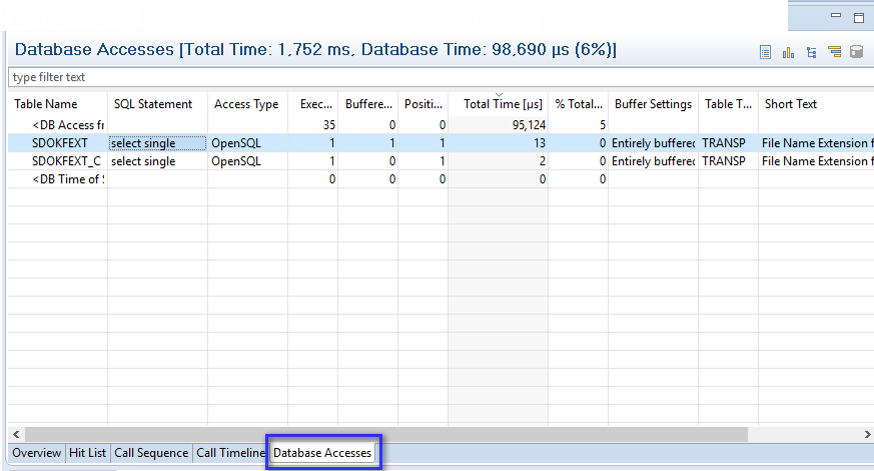
In addition, Go to Database Accesses tab > Select DB hit entry > Double click
Conclusion:
HANA is made for performance. In addition, It is a good programming practice to Profile every custom development and remove performance bottlenecks. Profiling becomes more important when ABAP logic is made for complex business logic and fine-tuning of code can result in a better turn around time.