


This is going to be really short. Creating a Repository on GitHub is easy. All you need a GitHub login and a minute!
Steps:
- Go to GutHub: https://github.com/ and create an account for yourself
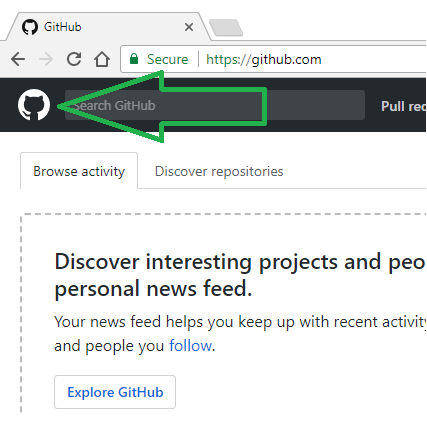
- Once you are done with account creation, come to the welcome page/home page. For navigating to home page, you may click on Git logo(a cat with tentacles & human-like face) present in upper right corner

- Click “New repository” to create a new Repository.
- Give a name and Description to the repository.
- Set a visibility to the repository which should be Public or Private
- Public repository is visible to open web, to anyone. You as the creator can choose who can commit
- A private repository is hidden from the open web. You as a creator choose who can view and commit to this repository.
- Give a name and Description to the repository.
- Set a visibility to the repository which should be Public or Private
- Public repository is visible to open web, to anyone. You as the creator can choose who can commit
- A private repository is hidden from the open web. You as a creator choose who can view and commit to this repository.
- Give a name and Description to the repository.
- Set a visibility to the repository which should be Public or Private
- Public repository is visible to open web, to anyone. You as the creator can choose who can commit
- A private repository is hidden from the open web. You as a creator choose who can view and commit to this repository.
- Initialize the repository with a README file. This creates a text file with name: README.md in repository an does initial commit for this file. README file is generally maintained for Project Description and change information logging.
- Add a license to the repository which effectively defines terms of use for other users.
- As the last step, click “Create repository” to do an initial commit to the repository.
Done… That’s it! The created repository is as below:
Some points to be noted:
- As you can see above, README.md file is created along with GPL3.0 LICENSE.
- New files can be created here itself by clicking ‘Create new file’ in section ‘h’. Files can be uploaded also.
- Alternatively, this repository can be cloned with the WebIDE project and all the files of WebIDE will be imported here. We will do this on the next blog!